Settings
User Account Features
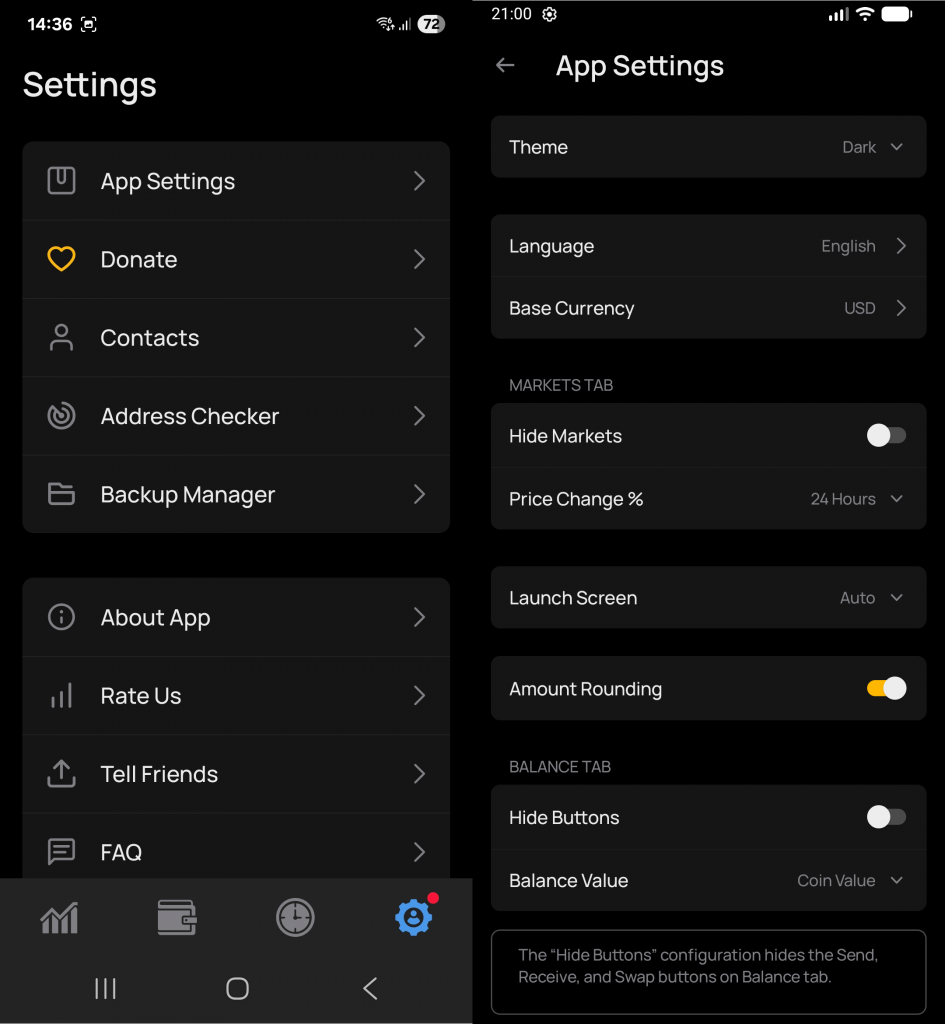
In the user account settings, you’ll find various functions for personal customization.
Helpful tips are provided throughout for user convenience.
A red triangle in some categories indicates that this feature must be configured to ensure app security.
1. Wallet Manager
Full wallet management:
Rename wallets
Create new wallets
Import existing wallets
Search and view wallets by address
More about wallet creation: How to Create a Wallet
2. Blockchain Settings
Section for managing blockchain network connections:
Choose a blockchain (Ethereum, BNB Smart Chain, Polygon, etc.)
Configure RPC nodes (which servers the wallet uses to access the network)
Add custom networks
Manage fees and gas calculations
Goal: to make the wallet flexible, independent, and universal.
All networks are pre-configured by default.
3. Security
Set a password for wallet access
Auto-hide balances on the wallet page
Duress Mode — allows you to hide real funds under coercion by showing a fake wallet
More info: What is Duress
4. Privacy
UI/UX Statistics — can be turned on or off.
Only interface interactions and user choices are collected, no private keys or seed phrases.
Tor Function — ensures user privacy by hiding IP and routing traffic through the Tor network.
More info: What is Tor
Get Num VPN — full anonymity for your device online
5. WalletConnect
Protocol for connecting your wallet to decentralized applications (dApps) without entering your private key.
More info: What is WalletConnect
6. App Settings
Choose theme and colors
Select interface language. Currently available:
German (Deutsch)
Spanish (Español)
English
Persian / Farsi (فارسی)
French (Français)
Korean (한국어)
Portuguese (Portugal)
Portuguese (Brazil)
Russian
Turkish (Türkçe)
Chinese (中文)
More languages will be added in the future.
Other functions are also available here that can be enabled or adjusted for user convenience.
7. Support Us
Section for financially supporting the project.
Here you can find wallet addresses to send tokens for further development of the app.
8. Contacts
Allows you to store contacts and wallet addresses:
Convenient directory for fast and secure transfers
You can add a name, address, and note for each contact
9. Address Verification Before Sending Tokens
This feature ensures transaction safety:
Checks that the address is correct for the selected network (format, length, checksum)
Blocks transactions with incorrect addresses
Protects against mistakes and fraud
10. Backup
Allows you to:
Create a wallet backup
Restore a wallet from a backup
Goal: protect your funds in case of device change or app failure.
11. Additional Features
This section contains all external and auxiliary app features:
Links to the project’s social networks — Telegram, Twitter, Discord, and others, to stay updated
Rate Us — leave a review of the app in the store or distribution service
App Status — information about the current version, updates, and compatibility
Additional services and links — quick access to documentation, FAQ, blogs, or other external resources
Goal: provide the user with easy access to external channels and information without overloading the main interface.

 DE
DE  RU
RU  UK
UK